4K Smart Projector Home Theater WiFi Bluetooth Guide
A smart projector can turn a bare wall into a movie screen without a TV stand or a big installation. The category is crowded, though, and listings often mix up resolution, brightness, and built-in software in ways that are easy to misread. This guide walks through what matters most for a first purchase and how to compare the options on the table.
How to Choose the Right Model
Start with the room, not the spec sheet. If you plan to watch in a dark bedroom, a lower brightness rating may be perfectly fine, but a living room with daylight through the windows needs a brighter projector and a screen that reflects light well. Think about how far the projector will sit from the wall, too, since throw distance changes how big the picture gets.
Next, look at the operating system and connectivity. A built-in Android or Google TV system lets you open streaming apps without a separate stick, while WiFi handles streaming and Bluetooth is useful for pairing a speaker or controller. Check whether the projector has an HDMI port and a USB port, because you will probably want to plug in a laptop, console, or media drive at some point.
Finally, pay attention to the resolution label. A listing that says 4K may mean the projector accepts a 4K signal and processes it down, which is different from a native 4K panel. Read the description carefully, and if the details are unclear, compare against a model that states its panel resolution plainly. Brightness is listed in ANSI lumens, but testing methods vary between brands, so use the number as a rough guide rather than a precise measure.
Common Mistakes Beginners Make
The most common mistake is buying on price alone. The cheapest projector can be a good match for a small room and casual movie nights, but it may struggle in brighter spaces or feel sluggish when switching between apps. Compare what you actually need, then decide how much you are willing to spend above that baseline.
Another frequent error is ignoring the sales and rating history. A model with a high rating but only a handful of sales has a very small track record, so one or two opinions can move the percentage a lot. A model with a few hundred sales gives you a clearer picture, even if the rating is a little lower. Read recent feedback to see whether buyers mention image sharpness, fan noise, or software updates.
Many beginners also forget about the screen and the environment. A projector on a bright white wall will look washed out compared with a proper screen, and a projector placed too close to a seating area can get in the way of the picture. Measure the wall, plan where the unit will sit, and make sure there is a stable surface or mount ready before the box arrives.
Setup, Usage and Care Tips
When you first set up the projector, place it on a level surface or a ceiling mount if you have one, then adjust the focus and keyhole correction until the image is square. Connect to your WiFi network early so that software updates can install before you settle in for a film. Pair Bluetooth speakers after the picture looks right, since audio and video sync can be easier to judge once the image is stable.
For everyday use, keep the vents clear and avoid blocking the fan. Let the unit cool down before packing it away, and do not shut it off at the wall while it is still running its cooling cycle. Dust builds up faster in rooms with pets or open windows, so wipe the lens gently with a soft microfiber cloth and avoid harsh cleaners.
If the picture looks dim after a few months, check whether the room has become brighter, whether the lamp or light source needs attention according to the manual, and whether the picture mode is set to a bright option. Keep the original box and receipt, and store the remote somewhere easy to find so you do not have to hunt for it on movie night.
Our top picks: 4k smart projector home theater wifi bluetooth

HONGTOP Android Smart Mini Projector 300ANSI Lumen Portable Projector 4K with WIFI Bluetooth 1080P H
95.79 USD
This is a compact smart projector with WiFi and Bluetooth, listed at 95.79 USD with a 94.5 percent rating. It suits someone who wants a simple, portable setup for a bedroom or small room, though with only 14 sold so far the rating rests on a limited track record.
Buy on AliExpress →
HONGTOP P10 Smart 4K Android WiFi Portable 1080P Home Theater Video LED Bluetooth Mini Projector 4GB
108.69 USD
This smart projector runs Android 10 with 4GB of memory and 64GB of storage, listed at 108.69 USD with an 87.6 percent rating from 67 sales. It suits buyers who plan to install several streaming apps and want more room for them than a basic model offers.
Buy on AliExpress →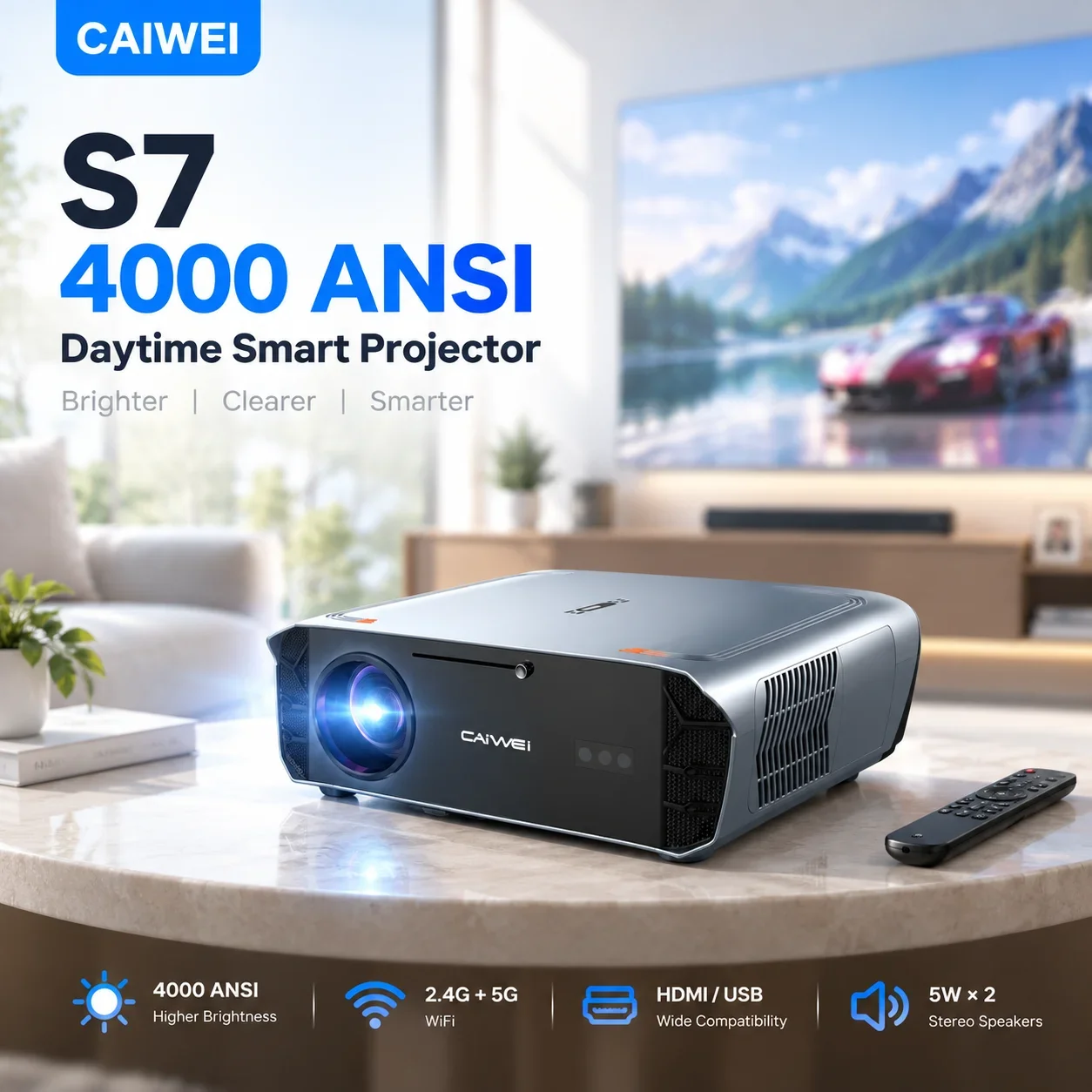
4000ANSI 4K S7 Daytime Projector Ultra HDMI USB Google TV 2.4+5G Wifi Auto Focus Beamer Smart Video
522.89 USD
This higher-priced smart projector is listed at 522.89 USD and includes Google TV, auto focus, and a daytime-viewing label. It suits a buyer with a larger budget who values automatic focusing and a built-in TV platform, but the perfect 100 percent rating comes from only 7 sales.
Buy on AliExpress →
HONGTOP Android Smart Mini Projector 300ANSI Lumen Portable Projector 4K with WIFI Bluetooth 1080P H
72.59 USD
This is the lowest-priced option here at 72.59 USD, with an 87.6 percent rating from 32 sales. It suits a tight budget and a casual viewer, and since its listing title matches two other entries, it is worth confirming the exact details with the seller before buying.
Buy on AliExpress →
HONGTOP Android Smart Mini Projector 300ANSI Lumen Portable Projector 4K with WIFI Bluetooth 1080P H
89.89 USD
This smart projector is listed at 89.89 USD and has the strongest sales record in this set, with 209 units sold and a 98.0 percent rating. It suits shoppers who want a popular, well-reviewed model at a middle price point for everyday movies and shows.
Buy on AliExpress →Frequently asked questions
Do I need a screen, or can I project onto a plain wall?
You can project onto a plain, light-colored wall for casual viewing, and it works well enough for many beginners. A dedicated projector screen usually gives brighter, more even colors, especially in rooms where some light cannot be avoided. If you watch often, a screen is a worthwhile upgrade.
How do I know if a smart projector will work with my streaming apps?
Check whether the listing names the operating system and whether it includes a store for downloading apps. If the projector runs Android or Google TV, the major streaming apps are generally available, but confirm that the apps you use are supported before buying. You can also connect a streaming stick through HDMI if the built-in options do not meet your needs.
Is WiFi and Bluetooth enough for a good home theater experience?
WiFi covers streaming and software updates, and Bluetooth lets you pair a speaker or controller without wires. For stronger sound, many people add a soundbar or speaker through an audio output or HDMI ARC connection, if the projector supports it. Think about audio early, since good sound makes a big difference to the overall experience.
Take a little time to match the projector to your room, your budget, and the apps you use most. A careful first choice will make your home theater far more enjoyable.

Comments
Post a Comment